 Agentdex
Blog · · Agentdex Editorial
3D Games Maker (2026): How to Build a 3D Game with Free AI Tools
A few years ago, building a 3D game meant months of learning an engine, wrestling with asset pipelines, and writing code for every mechanic. In 2026, a growing wave of AI-powered tools lets you start making a playable 3D game from a text prompt, often right in your browser. This guide walks you through how these tools work, how they compare to traditional engines, and how to pick the right one for your own game.
Key Takeaways
A "3D game maker" in 2026 often means an AI-assisted platform that can generate a basic 3D game loop in one click from a clear description, then let you refine gameplay elements with chat-style AI assistance instead of manual coding.
Free AI game maker platforms are real and useful for prototypes and small web games, but they come with trade-offs in control, performance, and commercial licensing that you need to understand before committing.
The gap between lightweight AI 3D game makers and full engines like Unity, Unreal, and Godot is significant. Choose based on your game concept scope, platform targets, and willingness to learn traditional game development.
Agentdex is an independent review hub that compares these 3D game makers side-by-side with no paid rankings, helping you filter by free vs. paid tiers, 3D support, export options, and more.
Beginners can build and share their first game in a weekend using free tools, while experienced devs can chain AI tools with traditional engines for faster workflows.
What a 3D Game Maker Is in 2026 (and Why AI Changed the Game)
The term "3D game maker" used to mean a level editor bundled with a rendering engine. Today it covers everything from browser-based AI assistants to full desktop app engines with integrated editors, asset pipelines, and cross-platform exporters. Popular 3D game creation tools fall into two broad categories: game engines and Digital Content Creation software, and creating 3D games requires an engine that provides core infrastructure.
Game engines assemble logic, physics, and rendering into a single environment where you build interactive experiences. What changed between 2024 and 2026 is the injection of AI into every layer of this stack. Text-to-code, text-to-3D assets, and conversational refinement of game mechanics now let people with zero programming background produce working prototypes. You describe your game idea in plain language, the AI generates characters, environments, and scripts, and you iterate via chat instead of writing code line by line.
AI tools aren't magic, though. At Agentdex we explain where AI genuinely saves time and where manual work is still required, using each vendor's own documentation and pricing pages.

Quick-Start: From Idea to a Playable 3D Game in One Evening
Here is a short recipe to go from zero to a browser-playable 3D game using a free AI game maker. No installs, no account drama.
Step 1: Pick a free tool that runs in the browser and supports 3D. Rosebud AI builds playable 3D games from text prompts, runs in the browser and has a free plan with no credit card required.
Step 2: Write a concrete 2–3 sentence prompt. Include genre (first person shooter, endless runner, survival arena), win/lose conditions, art style, camera type, and controls. Example: "A 3D endless runner with neon walls. Player dodges obstacles with A/D, uses jump with Space. Score increases with distance. Restart after collision."
Step 3: Generate the first version. The AI creates a first 3D build with basic assets, controls and a playable loop. Expect rough edges.
Step 4: Iterate via chat prompts. Ask things like "make enemies faster after 60 seconds," "add score multipliers," or "switch to cel-shaded lighting." Keep changes small and specific.
Step 5: Use the built-in publish feature to get a shareable link. Send it to friends and ask about difficulty and whether the goal is clear. Make sure the core loop is fun before you worry about polish.
For a very simple game, that whole loop can fit into an evening. Anything with more than one level or mechanic will take longer.

Types of 3D Game Makers: AI Builders, Drag-and-Drop, and Full Engines
Not every 3D game maker targets the same user. Here is how the landscape breaks down.
AI-first browser tools like Rosebud AI generate playable games from written descriptions, entirely in the browser. They give you strong AI assistance and instant web output, and they're best for rapid prototypes and small web games.
Visual and no-code builders let you assemble a game without writing code. GDevelop is an open-source 2D and 3D engine with a no-code event system and AI assistance, and it can publish to the web, Steam and app stores. GameGuru MAX is a paid, no-code 3D game maker that ships with over 1,200 assets, so you can build scenes right away.
Hybrid AI + engine workflows sit between pure AI tools and traditional engines. Tools like SEELE AI generate scenes, 3D assets or scripts from prompts, which you can export to Unity or Three.js for refinement. You get AI speed with engine-level control.
Full-scale engines like Unity, Unreal Engine 5, and Godot 4 remain the powerhouse choice for complex, commercial game development. Unreal Engine uses a visual scripting system called Blueprints for game logic, lowering the barrier for designers who prefer not to write C++.
Match the tool type to your intent: game jams and experiments with AI and browser tools, classroom use with drag-and-drop, and long-term commercial projects with full engines.
AI-Powered 3D Game Makers: How Free AI Game Makers Actually Work
"Free AI game maker" tools differ widely. Most run on credits, with free plans that limit usage, and many reserve code export, private projects or commercial rights for paid plans.
The typical workflow looks like this:
You describe your game concept in a text prompt.
The AI generates code and assets, often producing a working build you can play in your browser or desktop workspace.
You refine with natural-language tweaks via a chat interface.
Common AI features include procedural level layouts, 3D model generation, auto-texturing, enemy and NPC behavior scripts, and AI-written UI. Rosebud AI, for example, generates the game code, 3D characters and environments from a natural-language description.
Benefits: much less time from concept to first playable build, easier experiments across genres, and a lower barrier for non-programmers.
Trade-offs: Limited fine control over performance, potential IP and licensing constraints on AI-generated assets, and dependence on the provider's servers and data. If the platform sunsets, your game project may be at risk. Always read the terms of service before building anything you plan to monetize.
At Agentdex, our role is to explain these trade-offs clearly tool by tool, instead of echoing "one click and done" marketing claims.
Comparing Popular 3D Game Makers (From Prompt-Based to Pro Engines)
Rather than a feature table, here is a tier-by-tier breakdown.
AI prompt-based tools: Rosebud AI's free plan starts you with 8,000 credits (refilled weekly in eligible regions). Full commercial rights start on its 10x Dev plan, it takes no commission on your earnings, and code download plus a Windows build for Steam start on Pro (see Rosebud's pricing page). SEELE AI offers free starter credits and runs in the browser.
No-code and low-code builders: GDevelop is open source and free to start, with paid plans that unlock one-click publishing to Android, Steam and iOS plus more AI usage. GameGuru MAX bundles 1,200+ models and assets. Pre-made assets like these save a lot of time while you learn.
AI-boosted engines: Summer Engine is a desktop AI game engine (macOS and Windows) for 2D and 3D games that publishes to its own Summer Games store, Steam or itch.io, and you can drive it from Claude Code (Agentdex profile), Codex (Agentdex profile) or Cursor (Agentdex profile) through its free MCP connection. SEELE AI exports complete Unity project packages with assets and scripts, and Unreal Engine 5 output is limited to subscribers.
Full-scale engines: The three most popular game engines are Unreal Engine, Unity, and Godot. Unity is a versatile engine used for 3D and 2D games, mobile titles, and VR, and it features a massive asset store and extensive learning resources. Unity supports multi-platform development for various devices and provides tools for 3D world building and character animation. Godot is a free, open-source game engine with a lightweight editor, and Godot uses GDScript, which is inspired by Python, making it beginner-friendly. Unreal Engine is known for realistic lighting and powerful rendering tools, and Unreal Engine 5 includes technologies like Nanite for detailed geometry. PlayCanvas is designed for developing browser-based 3D games and fits teams wanting web-first 3D output.
Start with AI and browser options, then graduate to engines as your ambitions, performance needs, and platform demands grow.
How to Choose the Right 3D Game Maker for Your Own Game
The "best" 3D game maker depends on your game scope, budget, and willingness to learn traditional game development concepts.
Define your project: Is it a single-level prototype? A small indie release? A multiplayer shooter? A mobile casual game? This drastically affects which tools match.
Supported platforms: Do you need web, desktop, mobile, Android, consoles, or VR export? Tools that support one click build to multiple platforms (Unity, Godot) save enormous time.
Performance and control: For heavy scenes, you need control over shaders, physics, networking, and the ability to edit or debug AI-generated code.
Collaboration and pipeline: Version control support, asset pipeline integrations with Blender or Autodesk Maya, multi-user editing, and documentation depth all matter for anything beyond a solo weekend project. Autodesk Maya is professional software often used for character rigging and animation.
Community and learning: Game developers often use multiple tools together rather than relying on one. A strong community and updated version history signal a tool with life in it.
Use Agentdex to filter tools by these criteria. Read candid pros and cons and community feedback before committing to a specific free AI game maker or engine.
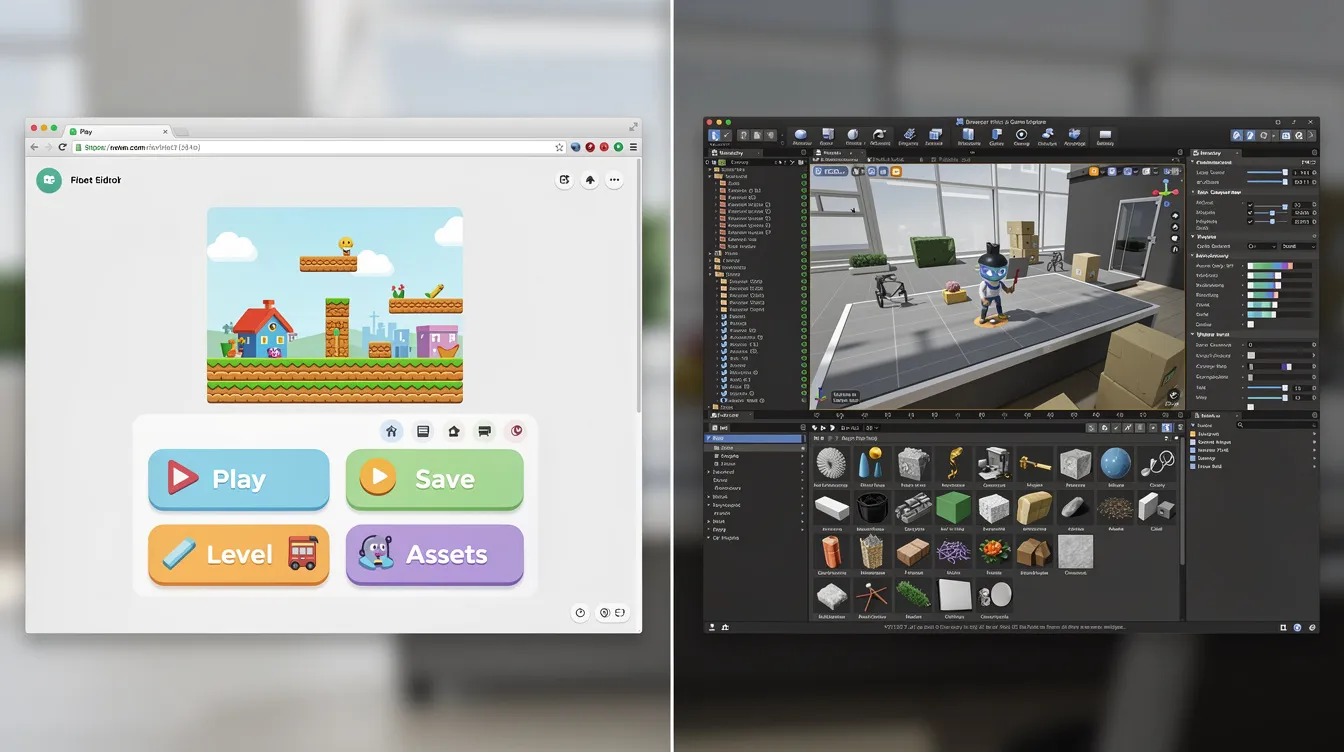
Step-by-Step: Planning and Building Your First 3D Game with AI Assistance
Here is a practical checklist for your first game.
Planning phase: Define a tiny, scoped concept. A 3-minute survival arena, a simple first-person maze, or a fight-the-waves arena with a clear win/lose condition and minimal game mechanics. Starting with small projects is recommended for beginner game developers.
Design your prompt: Turn that concept into a structured text prompt. Specify genre, camera, controls, environment type, and simple story flavor. The clearer your description, the better the AI output.
Prototype build: Generate a first version with one click. Focus on feel: movement speed, camera sensitivity, enemy pace. Ignore polish. Save your game project frequently.
Iteration loop: Play, note 3 issues, ask AI for changes. Keep requests small. "Add a score display in the top-left corner" works better than "redesign the entire interface." This cycle is where your game ideas become a real game.
Polish and publish: Once the loop is fun, add simple UX touches: tutorial text, restart button, difficulty scaling. Then use the tool's export or publish feature to share. Upload a video of gameplay to get feedback from your community.
3D modeling and animation are essential skills for creating game assets as you grow. Blender is free and open-source, ideal for asset creation in game development. Blender is used for creating 3D models, animations, and textures for games. Use structured courses and interactive communities to keep leveling up.
How Agentdex Helps You Navigate 3D Game Makers and AI Tools
Agentdex is an independent directory built for indie hackers, AI coders, and small game studios exploring AI for game development. We organize 3D game maker tools, coding agents, and AI assistants so you can filter by browser vs. desktop, free vs. paid plan, 3D support, and export targets.
Our approach: no paid rankings, clear labels on sponsored listings, and plain-English breakdowns of strengths, weaknesses and ideal use cases. We track new AI game engines and free AI game makers and note which ones are stable, experimental or shut down.
Grab the free Vibe Coder Starter Kit if you want prompt templates and workflow tips for combining AI with traditional engines. It is the fastest way to start making your first game with confidence.
FAQ
Can I really make a full 3D game without writing any code?
Yes, for simple to moderately complex games. Free AI game makers and no-code engines like GDevelop let you build working 3D games without code. Custom multiplayer networking, deep progression or complex AI behavior still benefit from at least basic scripting. Tools like Rosebud AI handle the first build, but scaling up eventually means touching code.
Are AI-generated 3D assets safe to use commercially?
It depends on the platform and the plan. Rosebud AI, for example, only grants full commercial rights from its 10x Dev plan up. Always check the official terms of service before you sell or monetize a game. Agentdex notes commercial-use policies in tool reviews where vendors publish them.
What kind of computer do I need for 3D game development?
Many browser-based 3D game makers run on modest laptops with a WebGL-capable browser and stable internet. Full engines like Unreal Engine 5 benefit from a dedicated GPU, 16–32 GB of RAM, and SSD storage for smooth editor performance. If you are just starting, a browser tool eliminates hardware concerns entirely.
How long does it take to finish a small 3D game?
With AI help, a basic playable prototype can come together in an evening. Turning it into a polished, bug-checked game usually takes days or weeks, depending on scope, art quality and the number of scenes. The fastest route to a finished game is a tiny scope and no feature creep.
Should I start with AI tools or go straight to Unity, Unreal, or Godot?
Beginners should start with a free AI game maker or no-code 3D tool to learn the core concepts quickly. Once you hit the limits of visual tools, move to a full engine and use AI mainly as a coding assistant inside it. You get speed early and control later.
Written by Agentdex Editorial. Agentdex is an independent directory reviewing AI coding tools; we are not affiliated with the companies mentioned. Prices and features are as of October 24, 2026, from official sources linked above. Always confirm on the vendor's site.