 Agentdex
Blog · · Agentdex Editorial
OpenAI Codex Guide (2026): Setup, AGENTS.md, Plans and Safe Workflows
OpenAI Codex (Agentdex profile) is OpenAI's coding agent. It runs in your terminal (Codex CLI), in your editor, in the ChatGPT desktop app, and as cloud tasks, and it can read your repo, edit files, run commands and propose diffs while you stay in control. As of October 2026 it's included with every ChatGPT plan, from Free and Go up to Pro and Enterprise, with very different limits per plan. This guide covers setup, AGENTS.md, sandbox defaults and the habits that keep it safe on real projects.
Key Takeaways
Codex works across several surfaces: the CLI for local terminal work, IDE extensions, the ChatGPT desktop app for managing parallel threads, and cloud tasks for longer jobs. Pick the surface that fits the task.
Codex can edit code and run commands in your repository, proposing diffs you approve or reject. It can run several threads in parallel while you review the results through Git.
As of October 2026, Codex is included in ChatGPT Free, Go, Plus, Pro, Business, Edu and Enterprise, with limits that grow by plan. You can also sign in with an OpenAI API key and pay API rates, though cloud features aren't available that way. Check the Codex pricing page for current limits.
This guide walks through concrete workflows for game projects, web apps, and automation, including installation, authentication, AGENTS.md setup, testing, skills, security defaults, and daily rituals that compound over weeks of shipping.
What Is Codex in 2026, and Why Should Indie Coders Care?
Codex in 2026 is OpenAI's multi-surface coding agent. It spans Codex CLI, the ChatGPT desktop app, cloud tasks and IDE extensions. Unlike earlier assistants that suggested snippets inside a single file, Codex can read your codebase, run commands, propose edits and execute tests. It works with your whole project, not just your cursor.
The word "agent" gets thrown around a lot, so here is what it means in practice: Codex inspects your files, generates diffs and runs build or test commands inside a sandbox, asking for approval when it needs to step outside it. You set the guardrails through sandbox settings, approval modes and Git workflows. Think of it as a focused junior developer who never sleeps but always needs a code review.
For AI coders and indie game developers, the specific tasks Codex handles well include:
Implementing new features (menus, UI elements, physics tweaks)
Fixing crashes and debugging across multiple files
Wiring up UI to backend services
Generating automated tests
Migrating between frameworks or libraries
Basic DevOps chores like build scripts and dependency updates
What changed since the early ChatGPT-style assistants? Several things. Codex has multi-file context, so it understands your project structure, not just a single open document. It reads AGENTS.md files to load project-level instructions automatically. It supports skills for repeated workflows. And in the desktop app you can run multiple agent threads in parallel. In April 2026, OpenAI said more than 3 million developers use Codex every week.
Codex has improved substantially since its earliest versions, but trade-offs remain. It can misread ambiguous instructions, over-engineer simple fixes, and occasionally hallucinate details about your codebase. It works best when you write clear prompts, constrain the task, and review every diff. Codex is a force multiplier, not a substitute for understanding your own code.

How Does Codex Compare to Other Coding Assistants in 2026?
Most developers in 2026 have tried some form of AI-assisted coding, usually inline autocomplete that predicts the next few tokens inside your editor. Codex operates at a fundamentally different level. Instead of finishing a line of code, it can complete tasks end to end: reading files, running commands, editing across multiple documents, and verifying the result by executing tests.
That difference in scope makes Codex more powerful but also riskier if you skip Git best practices. Here is a comparison to keep expectations realistic:
Aspect | Codex (Agent) | Typical Autocomplete Assistant | Manual-Only Workflow |
|---|---|---|---|
Scope of work | Multi-file features, refactors, tests | Single file or function completions | Fully controlled, any scope |
Environment access | Sandboxed, can run builds/tests | Limited to open editor buffer | Full access, full responsibility |
Parallel work | Multiple agent threads possible | One suggestion stream | One task at a time |
Learning curve | Moderate (Git, AGENTS.md, approvals) | Low | Low entry, high time cost |
Control and safety | Approval modes, sandbox, Git branches | Minimal risk surface | Maximum control |
Codex shines on end-to-end work: refactors spanning dozens of files, bug fixes that require reading history and running validation, or feature builds where the agent can propose a plan and then implement it. Classic autocomplete tools are still great for tiny edits, quick one-off snippets, or when you just want a function signature filled in without spinning up an agent session.
Agentdex covers Codex alongside a wider ecosystem of AI coding tools and agents, but this article focuses specifically on Codex's strengths and limitations for indie dev workflows.
What Do You Need Before You Can Use Codex?
Before you install anything, confirm you have the basics: a supported operating system, a project under version control (Git), a reliable internet connection, and access through either a ChatGPT plan or an API key.
Supported platforms in 2026:
Codex CLI runs on macOS, Linux and Windows. On Windows you can use the native Windows sandbox or run Codex inside WSL2, which uses the Linux sandbox. Follow OpenAI's official CLI documentation for the install command for your platform.
The Codex desktop experience now lives inside the ChatGPT desktop app, which OpenAI offers for macOS, Windows and Linux. Check the official docs for the latest status before assuming feature parity across platforms.
Account requirements:
You need an OpenAI account. You can sign in with a ChatGPT account or use an OpenAI API key.
As of October 2026, every ChatGPT plan includes Codex: Free and Go get limited access (with the GPT-6 Luna model in the desktop app, subject to rollout), while Plus ($20/month), Pro, Business, Edu and Enterprise add the CLI, IDE extension, cloud tasks, code review and higher limits. Plan details and rate limits change, so verify current eligibility on the Codex pricing page.
Preparation advice:
Start with a non-critical Git repository. A small game prototype, a practice microservice, or a fork of an open-source project works well. Don't experiment on production code.
Helpful skills include basic command line familiarity, Git branching and worktrees, and comfort reading diffs. These aren't hard requirements but they make Codex significantly safer.
How Do You Install and Authenticate Codex CLI?
Codex CLI is the most transparent way to learn how the agent behaves. You see every command, diff, and error directly in your terminal, which makes it the ideal setup for building trust before you move to the app or cloud.
Installation steps:
On macOS or Linux, OpenAI's docs give a one-line installer:
curl -fsSL https://chatgpt.com/codex/install.sh | sh. npm and Homebrew options are also documented. Pull the exact command from the official docs rather than relying on any guide, since installers can change.On Windows, follow the Windows instructions in the same docs. You can run Codex natively or inside WSL2.
After installation, run codex in your terminal to start using Codex CLI. The first run triggers the authentication flow. Codex CLI prompts for authentication upon first run, presenting two paths:
Sign in with ChatGPT: Links your CLI to your ChatGPT account so you operate within your plan's usage limits.
Use API key: For usage-based billing or when your plan doesn't include Codex access.
Codex CLI works in the directory you launch it from, reading your project files and running commands in that folder. Never hard-code or commit an API key. Keep it in an environment variable or a secrets manager.
How Do You Connect Codex to Your ChatGPT Plan?
Signing in with your ChatGPT account lets you use Codex within whatever usage and rate limits your subscription includes. This is the simplest path if you already pay for ChatGPT.
The flow works like this:
Run codex in your project folder.
Choose "Sign in with ChatGPT."
A browser window opens. Log into your OpenAI or ChatGPT account.
Grant access when prompted.
Return to the CLI where a confirmation message appears.
On some setups-headless servers, remote terminals-the CLI may print a one-time URL instead of opening a browser automatically. If this happens, paste the link into a browser manually and verify the domain is the official OpenAI URL before proceeding.
Once linked, the CLI remembers your session across restarts. Use /logout if you later want to switch to an API key or another account. On headless machines, codex login --device-auth gives you a device-code flow instead of a browser redirect.
Limits differ a lot between plans. For example, OpenAI's pricing page currently lists ranges of local messages per five hours on Plus that depend on the model, says Pro has no five-hour limit, and notes that weekly limits may apply. These numbers change, so check the Codex pricing page for current details.
How Do You Authenticate Codex With an API Key?
Some developers prefer an API key because it gives usage-based billing, or because they want Codex in scripts and CI. With an API key you can use the CLI, SDK and IDE extension, but not cloud features.
Steps:
Log into the OpenAI Platform dashboard.
Navigate to the API Keys page.
To authenticate with an API key, create a secret key on OpenAI and copy it immediately-it won't be shown again.
Pass the key to Codex. One documented way is
printenv OPENAI_API_KEY | codex login --with-api-key, which reads the key from an environment variable instead of your shell history.
Security matters. Store the key in a secure credential manager or environment variable (OPENAI_API_KEY). Never leave it in shell history or config files committed to your repository. Treat API keys the way you treat database passwords.
API key usage is billed according to OpenAI's current pricing for the models used. Monitor your spend through the OpenAI dashboard instead of guessing. For teams, consider creating separate keys per project or environment. This makes usage tracking easier and revocation less disruptive if a key leaks.
How Do You Actually Run Codex in Your Codebase?
The core loop is straightforward: cd into your project directory, run the codex command, approve directory access, and start describing a task in natural language.
On first run in a new folder, Codex may ask whether you trust the directory. Since the agent may read files and run commands, only approve folders for repositories you own or have reviewed. Don't rubber-stamp it on unfamiliar code.
Once inside a session, Codex displays its actions in real time:
Reading files and gathering context
Proposing diffs (additions, deletions, modifications)
Running build or test commands when relevant
Asking for approval when a command needs to leave the sandbox, such as writing outside the workspace or using the network
Use a dedicated Git branch or worktree when starting a Codex session. Codex has a /worktree command and a --worktree flag for this, so you can compare the agent's output against your main branch, stash experiments, or reset if something goes wrong.
For your first task, keep it safe: ask Codex to "document this module" or "explain this function" rather than immediately requesting a large refactor. This lets you calibrate how the agent interprets your instructions before trusting it with structural changes.
What Is AGENTS.md, and How Does It Help Codex Understand Your Project?
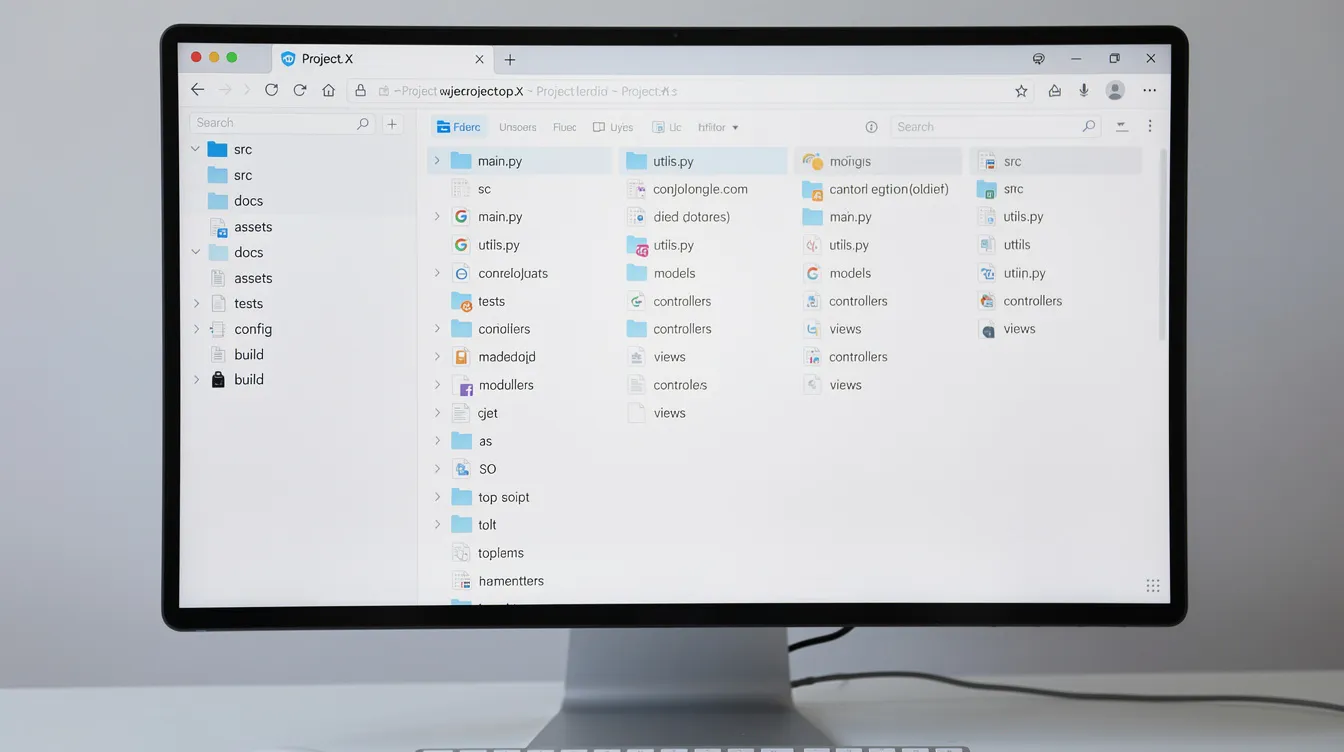
AGENTS.md is a convention Codex uses to understand your project before you type a single prompt. It's a markdown file placed at the root of your repository (and optionally in subdirectories) that describes what the project does, how it's organized, and what rules the agent should follow.
You can scaffold an initial AGENTS.md with the Codex CLI's /init command, then refine it by hand. Codex combines instructions from a global file in ~/.codex and from AGENTS.md files from the project root down to your working directory, up to a combined size cap that defaults to 32 KiB (OpenAI's AGENTS.md guide).
Key sections to include:
Project summary: What the app or game does
Important directories: Where source, assets, tests, and configs live
Build and test commands: How to compile and verify
Coding conventions: Naming, formatting, languages used
Key third-party services: APIs, SDKs, or libraries that matter
Do-not-touch areas: Config files, infrastructure, or generated code
Once AGENTS.md exists, you don't need to re-explain the basics in every prompt. Codex loads these instructions automatically at session start, giving it a much clearer mental model of your game, app, or toolchain.
Keep AGENTS.md under version control. Update it when your architecture or tech stack changes so the agent doesn't optimize for a past version of your project.
How Can Codex Explain Existing Source Code and Architecture?
If you've ever inherited a community asset, picked up a jam prototype weeks later, or stared at your own legacy side project wondering what past-you was thinking, Codex can serve as a tour guide.
The workflow is simple: ask Codex to "Explain how the save system works" or "Walk me through the authentication flow." It reads the relevant files, cross-references them and writes a summary. You can also ask it for Mermaid diagrams, sequence diagrams or state charts, which are useful for onboarding collaborators or planning rewrites.
A word of caution: check explanations against the actual code, especially in critical paths like payment processing, auth, or multiplayer netcode. Codex might occasionally hallucinate details if the codebase is inconsistent or poorly documented.
Use these explanation sessions to seed better documentation directly in your repo. Copy the accurate parts into your README, wiki pages, or inline comments. Over time, this generates real documents that benefit both you and future contributors.
How Do You Use Codex to Implement New Features or Fix Bugs?
This is where Codex earns its keep as a daily collaborator. It can read your requirements, propose a plan, edit files across your project, and run tests-all under your supervision.
The step-by-step pattern:
Describe the change clearly. Reference specific files or folders. State constraints like performance targets, style preferences, or platform requirements.
Ask for a plan first. Before Codex touches any code, have it outline what it intends to do. This catches misunderstandings early.
Review diffs. Codex shows diffs across the files it changed, and
/diffand/reviewhelp you inspect them. Treat these like a teammate's pull request, not an auto-accept checkbox.Run tests. Either let Codex run them or do it yourself before merging.
Example prompts for indie devs:
"Add a pause menu with settings to this Godot game. Use the existing UI theme in res://ui/theme.tres."
"Fix the null ref crash when loading save files created before v1.1. Add a fallback for missing fields."
Trade-offs: Codex is fast and stays consistent with your style once AGENTS.md and prior prompts establish norms. But it can over-engineer simple fixes, miss edge cases in game mechanics, or make UX decisions you'd disagree with. Always think through tests and user impact before merging.
How Can Codex Write and Run Tests for You?
There's a gap between "it seems to work" and "it's covered by tests." Codex helps close that gap by generating unit or integration tests that compile and run inside your project.
After a feature change, ask Codex to add tests in the appropriate test folder, targeting both happy paths and edge cases you list in the prompt. Be specific: "Test that loading a save file with no inventory field defaults to an empty array" is better than "write some tests."
Codex can call test runners-npm test, pytest, dotnet test, and others-from the CLI, capture output, and iterate until the tests pass or clearly fail for a reason you can diagnose. This validation loop saves hours of manual back-and-forth.
Treat Codex-generated tests as a starting point. Review assertions, naming, and coverage. Extend tests where business rules are subtle or game mechanics depend on timing and randomness. Deterministic mocks help here.
One high-value practice: ask Codex to generate regression tests for past bugs. Every fixed bug that gets a test becomes a safety net for future refactors. This compounding effect is one of the most obvious wins from regular Codex use.
What Are Codex Skills, and How Do They Help With Repeated Workflows?
Skills are reusable bundles of instructions, scripts, and resources that let Codex execute recurring workflows without re-prompting from scratch. Think of them as saved recipes: "ship a patch build," "update release notes," "regenerate localization files."
Codex supports skills (list them with /skills), and you can create your own. Skills go beyond pure code generation: they can bundle scripts for build pipelines, documentation updates or deploys to staging, subject to the permissions you configure.
Examples indie devs might create:
"Prepare a weekly playtest build for Windows and macOS"
"Run and summarize linting for the Unity project"
"Regenerate localization files from a spreadsheet"
"Scan PR descriptions for missing release notes"
Create skills for repetitive tasks. Because skills are plain, inspectable files, teammates can review, version and improve them like any other tooling.
One caveat: skills amplify good processes. If your underlying workflow is unclear or fragile, Codex will automate that fragility. Stabilize a process manually first, then encode it as a skill.
How Does the ChatGPT Desktop App Change the Way You Work With Codex?
OpenAI has folded the Codex app into the ChatGPT desktop app, where you choose between ChatGPT and Codex. It gives you a GUI for managing agent threads, seeing history, reviewing diffs and coordinating work beyond the terminal. From the CLI, /app continues your current session in the desktop app on macOS and Windows.
The parallel work angle is significant. You can run threads across several projects at once (one refactoring UI, another tightening database queries, a third updating documentation) and hop between them to review progress. For solo developers who used to do everything sequentially, that's a real workflow shift.
Pair parallel threads with Git worktrees so each agent works on its own branch without conflicts. This matters on bigger projects where a stray edit can cascade.
Review works like a lightweight PR queue: inspect proposed changes, ask for adjustments, and open files in your own editor for manual tweaks before merging.
You can also change how Codex talks to you: the /personality command picks a response style when the model supports it. That matters more than it sounds when you spend hours a day with an agent.

What Is Codex Cloud, and When Does It Make Sense Over Local Runs?
Codex cloud tasks run in OpenAI-managed environments against your repository, so they don't depend on your laptop's CPU, RAM or battery. They suit longer-running jobs and are available on paid ChatGPT plans, not with API-key sign-in.
Use cases:
Long-running refactors across large codebases
Heavy test suites that would bog down your development machine
Multi-agent setups where several tasks run in parallel
Working from a low-power laptop while Codex chews through compute-heavy jobs
Trade-offs exist. Remote runs are convenient for teams and heavier workloads, but you need to be deliberate about what code and secrets you sync to the cloud. Follow your organization's compliance rules and review OpenAI's data usage policies.
You can start cloud tasks from the web, the desktop app, or the CLI's codex cloud command. Setup differs from local runs, so follow OpenAI's Codex docs rather than guessing at configuration.
For indie devs on modest setups, starting with the local Codex CLI makes sense. Move to cloud tasks when you hit limits around speed, hardware or parallel work.
How Does Codex Keep Your Projects Secure by Default?
Codex's security posture starts with sandboxing. Locally it uses OS-level sandboxes: Seatbelt on macOS, bubblewrap plus seccomp on Linux, and a native sandbox on Windows (or the Linux sandbox inside WSL2). These restrict the agent to your workspace and require approval for anything beyond it.
Default constraints:
In the default workspace-write setup, Codex can edit files inside your workspace but not outside it
Network access is off by default
Commands that need to go outside the workspace or use the network require your approval, and a read-only mode is available when you only want answers
Configurable rules let you loosen or tighten restrictions per project or team. You might allow test runners and linters to execute automatically while still blocking network calls or writes outside the workspace. This reduces friction without handing Codex a blank check.
Treat Codex like a junior teammate with sudo potential: give it the minimum permissions it needs and lock down secrets (.env files, keys) just as you would for human collaborators. Codex can export telemetry through OpenTelemetry if you opt in, and Enterprise and Edu workspaces get audit logs through OpenAI's Compliance API.
Git is the ultimate safety rail. Review changes, keep branches small, and never merge Codex's work into main without at least a quick sanity pass.
How Do Automations and Parallel Work Change Your Workflow?
Automations let Codex run scheduled or recurring work, so the agent can make progress when you're not actively prompting it. OpenAI expanded these in its April 2026 update, and the desktop app supports scheduled tasks.
Concrete examples:
Nightly CI failure summaries dropped into a review queue
Daily bug triage reports pulled from issue history
Weekly dependency update scans that flag outdated libraries
Periodic refactors (formatting, dead code removal) staged for later review
While you're building features, Codex can run checks, gather diagnostics or prepare migration branches in the background. Keep a human-in-the-loop rule: results should land as proposals or branches you review, not as changes merged straight into main.
Start with read-only or low-risk Automations (reports, summaries) before allowing any scheduled code edits. This lets you calibrate trust and correctness before giving the automation broader scope.
How Do You Choose Between Codex CLI, the Desktop App, Cloud Tasks and IDE Extensions?
All surfaces share the same Codex agent and the same ChatGPT account. As of October 2026, the models available for ChatGPT sign-in include GPT-6.1 Sol, GPT-6 Sol, GPT-6 Astra and GPT-6 Luna (GPT-5.5 was retired from ChatGPT sign-in on October 14, 2026). The differences between surfaces come down to visibility, convenience and where the work runs.
Codex CLI is best for transparency, scripting, and early experiments. You see every command, keep everything in Git, and integrate with custom shell workflows easily. It's where most developers should start.
The ChatGPT desktop app is ideal for managing multiple agent threads and projects with a richer UI. If you dislike living purely in the terminal, or want easier diff review and context switching, this is your surface.
Cloud tasks are useful when your hardware is constrained or you need long-running work without babysitting your computer.
IDE extensions bring Codex into editors like VS Code without switching contexts. Serious structural changes should still be reviewed like any pull request.
What Are Practical Best Practices for Using Codex Safely and Effectively?
Codex rewards a specific style of collaboration: clear goals, explicit context, short focused sessions, and disciplined use of Git.
Prompt hygiene tips:
Specify files and folders in your prompts rather than expecting Codex to guess
Define what "done" means for each specific task
Mention performance, memory, or platform constraints upfront
Ask Codex to outline a plan before it edits anything
Codex requires clear context for accurate output. Vague instructions produce vague results.
Session management:
Keep sessions short and topic-focused. Use the /new command to start a fresh Codex session when switching topics, preventing bloated context from diluting attention.
Use /compact where supported to trim accumulated context.
Model selection:
Pick the right model for the task with
/model. Heavier reasoning models handle complex refactors better; lighter ones like GPT-6 Luna are faster and stretch your limits further for boilerplate and quick edits.
Git as non-negotiable safety rail:
New branch per Codex task, always
Frequent commits so you can roll back granularly
Aggressive use of git diff and git reset when outputs aren't satisfactory
How Can AI Coders and Indie Game Devs Make Codex a Real Game Changer?
Indie development has always been about constraints: tiny teams, limited months, ambitious ideas, and the constant tension between building what you love and handling the work that slows you down. Codex doesn't remove those constraints, but it shifts your time budget.
Use Codex for the "unfun" work so you can focus on core gameplay, narrative, and design:
Glue code and boilerplate
Migrations between frameworks or engine versions
Writing and maintaining tests
Build scripts and dependency management
Generating documentation from code that was written hastily during a jam
Daily Codex rituals that compound:
Morning: "Clean up yesterday's TODOs across the project"
Afternoon: "Scan for obvious crash paths before the playtest build"
Evening: "Summarize all open issues and flag anything critical"
Build a lightweight Codex playbook in each repo. AGENTS.md plus a few core skills means spinning up an agent on any project is quick and consistent.
For comparing Codex with other coding agents, see our Codex vs Claude Code comparison and the OpenAI Codex profile on Agentdex.

FAQ
Is Codex Free if I Already Pay for ChatGPT?
Yes, in a limited way. As of October 2026, Codex is included in every ChatGPT plan, including Free and Go, but limits, models and surfaces vary by plan. Free and Go get limited access with GPT-6 Luna in the desktop app (subject to rollout); Plus at $20/month adds the CLI, IDE extension, web and cloud tasks, code review and more models; Pro has no five-hour limit. Check OpenAI's Codex pricing page for current details.
Can I Use Codex on Proprietary or Client Projects Safely?
Many developers do. The key practices are: restrict Codex to only the necessary repository or worktree, keep secrets and credentials out of prompts, check OpenAI's data usage policies against your client's requirements, and keep a record of what the agent changed (Git history does most of this). If your organization has compliance rules around AI tools, get sign-off before you start. Codex's sandbox defaults help, but they're only one layer of a responsible setup.
Do I Need to Know a Lot of AI Theory to Use Codex Well?
You do not. Familiarity with your own stack, Git, and clear written instructions matters far more than deep AI knowledge. Basic concepts like "context window" (how much information the model can process at once) and "reasoning vs speed trade-offs" (heavier models think deeper but cost more time and tokens) are helpful but can be learned as you go through regular use.
Will Codex Replace Junior Developers on My Team?
Codex can automate some junior-level tasks-boilerplate generation, straightforward refactors, test writing, documentation-but it still needs human oversight, domain knowledge, and taste. It doesn't understand your users, your business model, or the subtle UX decisions that make a product feel right. Treat Codex as an amplifier for both juniors and seniors rather than a full replacement. The developers who learn to collaborate with agents effectively will be more valuable, not less.
How Can I Keep Codex From Messing Up My Main Branch?
The safest pattern is always to work in dedicated branches or Git worktrees. Review every Codex change as if it came from a teammate. Run tests before merging. Never give Codex write access to your main branch without human review. If something goes wrong, git reset or git revert brings you back to safety. This is the same discipline you'd apply to any contributor-automated or human.
Written by Agentdex Editorial. Agentdex is an independent directory reviewing AI coding tools; we are not affiliated with the companies mentioned. Prices and features are as of October 23, 2026, from official sources linked above. Always confirm on the vendor's site.