 Agentdex
Blog · · Agentdex Editorial
Repl.it Alternatives (2026): Best Replit Alternatives for AI App Building, Cloud IDEs and Code Ownership
Replit (Agentdex profile) made browser-based development mainstream. In 2026, its effort-based pricing, agent-first workflow and $100/month Pro tier have pushed many developers and founders to look around. This guide covers the best Replit alternatives across AI app builders, cloud IDEs and local AI editors, so you can pick the tool that fits your workflow, budget and ownership needs.
Key Takeaways
Replit alternatives fall into three buckets: AI app builders (Lovable (Agentdex profile), Bubble, Glide, Zite), AI-assisted local editors (Cursor (Agentdex profile), Windsurf) and governed cloud environments (GitHub Codespaces, Ona, Coder).
Many alternatives offer simpler pricing, clearer code ownership or more mature team workflows than Replit's effort-based model, though most AI builders still meter usage with credits.
For non-technical founders, Lovable or Bubble gets you to a working app fastest. For professional developers, Cursor paired with your own hosting gives you deep AI coding with full control.
Agentdex is an independent directory, not a vendor. Rankings are never for sale. This article focuses on real trade-offs, not hype.
Pick a platform based on your project and skills; there's no universal winner.

What Are Replit Alternatives in 2026?
Replit is a browser-based, AI-assisted cloud IDE that bundles editing, hosting, collaboration, and an AI agent into one platform. The term "replit alternative" has become a broad category because no single tool replicates everything Replit does-but many tools do individual parts better.
Replit alternatives are tools that replace one or more Replit capabilities:
Cloud IDE platforms like GitHub Codespaces and CodeSandbox give you a full development environment in the browser, with no local setup.
AI-native editors like Cursor and Windsurf (now Devin Desktop (Agentdex profile)) build deep AI integration into a VS Code-style editor running on your machine, with full control over your environment.
AI app builders and no-code tools like Lovable, Bubble, Glide and Zite let non-technical users turn prompts or data into complete apps without writing code. Zite builds business apps from plain English, while Glide turns spreadsheets into mobile-ready apps.
Browser environments facilitate rapid prototyping and interactive web app development across all these categories.
Most alternatives replace one part of Replit very well rather than all of it, so many teams combine two tools, such as an AI editor plus a separate host.
Why Developers and Founders Are Looking for Replit Alternatives in 2026
Replit has moved hard toward its AI Agent and rolled out effort-based pricing, where each Agent request costs more or less depending on how much work it does. Its current self-serve plans are Core ($20/month, or $18/month billed annually) and Pro ($100/month, or $90/month billed annually), plus custom-priced Enterprise.
The pain points are real:
Unpredictable costs: with effort-based pricing, an agent that loops on errors or retries can burn through usage quickly, so forecasting a monthly bill is hard. Replit offers spending controls, but you have to set them.
Limited infrastructure control: generated code lives inside Replit's hosted environment. Exporting lightweight repos works, but decoupling databases, secrets, and hosting integrations takes effort.
Code ownership concerns: when your entire codebase is tightly coupled to a vendor's proprietary abstractions, migrating becomes a project in itself.
Reliability is another friction point. On larger projects, agent-generated changes can introduce bugs that are hard to spot, and moving from prototype to production exposes gaps in error visibility, logging and observability.
For non technical founders, Replit makes starting easy but hides complexity. Wiring in user authentication, payments, and monitoring often requires manual infrastructure work that the AI agent struggles to handle cleanly.
Larger teams look at governance too. On Replit, SSO, SCIM and audit logs are Enterprise features, so smaller teams that need them may find dedicated cloud development platforms a better fit.
How Agentdex Chose the Best Replit Alternatives
Agentdex compares AI coding tools using vendor documentation, official pricing pages and public community feedback from developers and founders using these platforms.
Our evaluation criteria:
Target users: AI coders, indie hackers, non technical founders, enterprise teams
AI capabilities: inline completions, chat, agent mode, background jobs, code generation quality
Platform type: cloud IDE vs local editor vs pure ai app builder
Code ownership and code export options
Pricing clarity and long-term cost predictability
Development workflow integration with existing tools and version control
Rankings on Agentdex are independent and never for sale. Sponsored placements are always labeled, and this article is entirely non-sponsored.
Prices and key features referenced here are current as of October 24, 2026. Always confirm on official vendor pages before committing.
Quick Comparison: The Best Replit Alternatives at a Glance
This section is your cheat sheet before the deep dives. Here's which tool is the best replit alternative for each job:
AI coding in a local editor: Cursor (from Plus at $8/month for Grok models up to Premium at $30/month and above) and Windsurf (Pro $20/month) for deep AI integration across your whole codebase.
Browser-based cloud environments for teams: GitHub Codespaces (tight GitHub integration, dev containers) and Ona, formerly Gitpod (cloud environments and background agents that can run in your own VPC)
Prompt-to-app AI builders for non-technical founders: Lovable (from $25/month for 100 credits), Bubble (web-only Starter from $39/month, or $69/month for web plus native mobile), Zite (Pro from $20/month billed annually with 100 credits, aimed at business software)
Spreadsheet-first mobile apps and internal tools: Glide turns spreadsheets into mobile-ready apps quickly
Fast front-end sandboxes: CodeSandbox and StackBlitz for rapid iteration and collaborative projects
Local AI app building with privacy: Dyad is a free, open-source app builder that runs on your machine, with Dyad Pro from $20/month for bundled AI credits
For specific personas:
Students and hobbyists: free plans on Cursor, Lovable, Bubble, CodeSandbox and the monthly free allowance on GitHub Codespaces
Indie hackers: Cursor + simple hosting (Railway, Render) or Lovable for quick MVPs
Enterprise teams: self-hosted or VPC deployment via Coder, Ona or Eclipse Che for compliance
Replit in 2026: What It Does Well (and Where It Struggles)
Understanding Replit's strengths helps you figure out what you actually need to replace.
Replit's key features remain compelling for certain workflows: a browser-based IDE with zero local setup, real-time collaboration (Pro allows up to 15 collaborators and 50 viewers), built-in hosting and deployments, and Replit Agent for generating full-stack apps from prompts.
Where it shines: teaching, hackathons, small web apps, rapid prototyping and workflows where you never want to touch a terminal. For a quick multi-page demo, Replit is still hard to beat.
Where it struggles:
Performance ceilings on larger projects and existing codebases
Variable AI costs under effort-based pricing, which make forecasting difficult
SSO, SCIM and audit logs only on Enterprise
Friction integrating into GitHub-centric team workflows and existing CI/CD pipelines
Replit Agent is optimized for new greenfield repos, not large existing codebases or legacy monoliths
Built in git support exists but feels secondary to the Agent-first workflow
Cursor: Best Replit Alternative for AI-Assisted Local Development
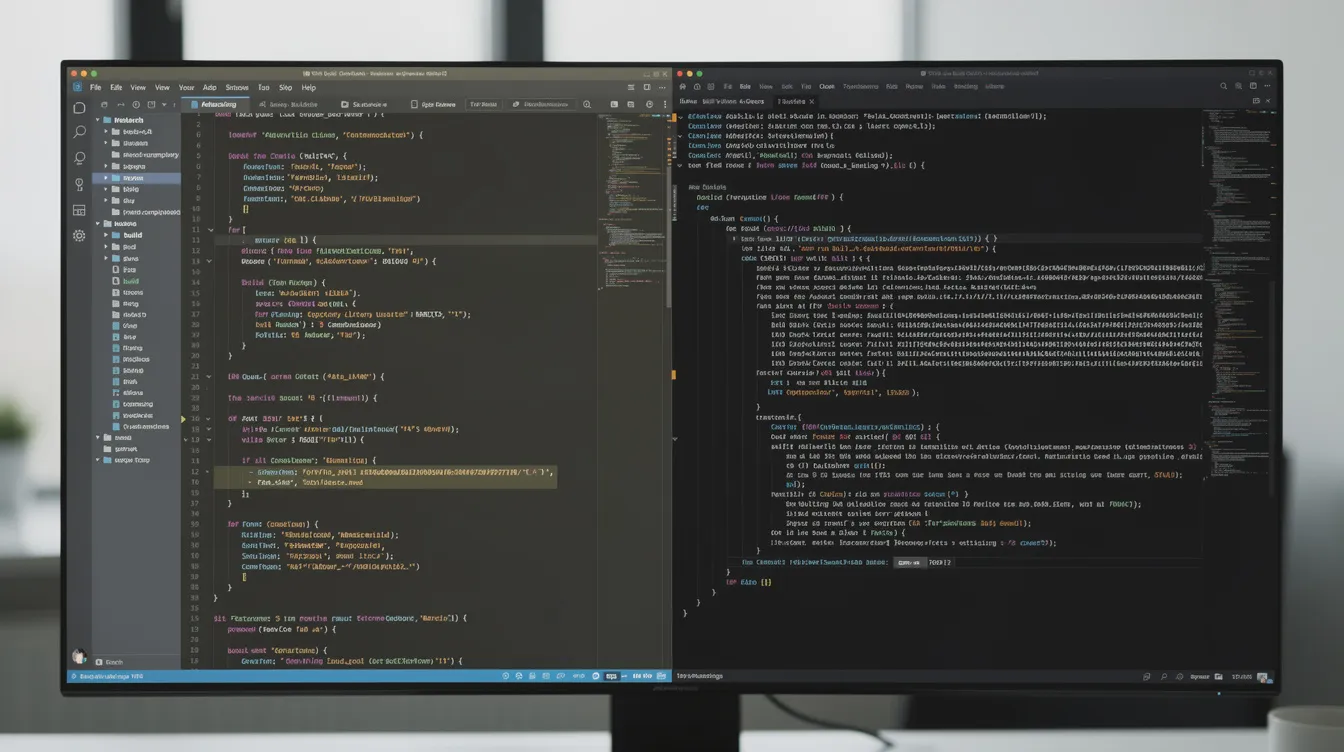
Cursor is a VS Code-based editor with AI chat, inline edits and an agent mode that works across your entire codebase. It's the go-to for developers who want agentic help without giving up control.
Key features:
Chat-based ai coding, refactoring, and smart rewrites across multiple files
Multi-file edits with full project context via custom retrieval models
Support for multiple AI models (GPT, Claude, and more) with the ability to choose which model powers your work
Agent mode that runs end-to-end tasks: prompt → plan → implementation with terminal access
Strong integration with Git repos, existing dev tools, and your preferred tech stack
Cursor brings AI into team workflows with shared rules and team plans
Why Cursor beats Replit for existing projects: local performance means no cloud latency, full file system access lets you manage dependencies and deployment yourself, and you retain complete code ownership. You can write code in any programming languages you already use.
Cursor suits professional developers, teams with large repos and anyone who wants to run their own infrastructure. AI agents can produce design mistakes on large, vague tasks, so the winning pattern is pairing with the AI and reviewing its changes, not blind delegation.
Cursor's paid plans start with Plus at $8/month (Grok models only), and Premium at $30/month adds third-party models like Claude. Team and enterprise tiers add team management, usage analytics and SSO.
GitHub Codespaces & Ona (formerly Gitpod): Cloud Environments for Serious Teams
GitHub Codespaces and Ona (the company formerly known as Gitpod) are mature cloud options that give teams the governance and reproducibility they need.
GitHub Codespaces provides a standardized cloud development environment for teams. Key strengths:
Tight GitHub integration with dev containers that mirror your local environment exactly
Container based environments that spin up pre-configured for your repo
Full compatibility with ai coding tools like GitHub Copilot (Agentdex profile), which suggests code as you type in existing IDEs
Collaborative environments improve productivity for team projects and coding exercises
Usage-based pricing: $0.18/hour for a 2-core machine plus $0.07 per GB-month of storage. Free personal accounts include 120 core-hours and 15 GB-month of storage each month.
Ona takes a different angle:
Background agents that take a task and return a pull request, each running in a full cloud environment
Runs in your VPC with network control, audit trails and scoped credentials
Built for enterprises that want standardized, governed environments for developers and agents
Supports running Ona, Codex (Agentdex profile) and other agents under one set of policies
Codespaces compares to Replit by giving you more control over tooling and a better fit with established GitHub workflows, but neither it nor Ona offers Replit Agent's push-button app builder flow. You layer AI on top rather than starting from it.
Confirm current rates on vendor pages before choosing. Codespaces bills by compute hours and storage, and Ona is sold through its sales team.
Lovable, Bolt.new, and Bubble: AI App Builders for Non‑Technical Founders
This section covers replit alternatives that prioritize speed and UX for non technical makers over low-level coding. If you want a prompt to app experience that ships polished results fast, these are your options.

Lovable generates full-stack web apps from prompts, with design defaults, GitHub sync and code you own, so a developer can take over later. Paid plans start at $25/month for 100 credits. It handles common needs like authentication and payments, though complex logic can still need manual work.
Bolt.new (Agentdex profile), from StackBlitz, generates full-stack apps from a prompt and runs them in the browser. It's a strong fit for hackathons, demos and MVPs where you want to go from idea to working app quickly.
Bubble is a no-code platform for custom web and native mobile apps that mixes a visual editor with an AI Agent. It supports SaaS-style apps with authentication, payments and workflows. The web-only Starter plan costs $39/month ($32/month billed annually) since October 20, 2026, and Web + Mobile Starter costs $69/month. Agent edits now use AI credits, though the visual editor stays free to use. The learning curve is steeper than Lovable or Bolt, but you get more depth for long-term products.
Zite builds business apps from plain English, with unlimited users and apps on every plan. Pro costs $20/month billed annually ($25 month to month) with 100 credits, and Business costs $75/month billed annually with 400 credits.
The trade-off across all of these: you get limited low-level control compared with Replit's code environment, but these tools ship polished, complete apps faster for non technical founders who value design and speed over infrastructure flexibility.
A caution: apps built with AI builders can leak sensitive data when databases or sharing settings are left public. Treat AI-generated code and hosting defaults with the same scrutiny you'd apply to any production system.
Glide and Other Spreadsheet-First Builders: Fast Paths to Mobile Apps
Spreadsheet-based ai app builder tools represent a distinct cluster of replit alternatives aimed at people who think in rows and columns, not functions and classes.
Glide turns Google Sheets, Excel or Airtable data into responsive web and mobile apps. It's ideal for internal tools, client portals and simple mobile apps, with built-in authentication and permissions.

Why these platforms appeal to non technical ops teams: the data model is familiar, there's no code syntax to learn, and time-to-value is measured in hours. For many business use cases, these tools are the best replit alternative because they skip code entirely while still shipping usable mobile apps and dashboards backed by existing spreadsheets.
Contrast with Replit: Glide is far less flexible for arbitrary code or custom backend logic, but much faster for CRUD-style mobile apps. If your project starts with data in Google Sheets and ends with a team dashboard or client-facing portal, a spreadsheet-first builder saves you from over-engineering.
CodeSandbox, StackBlitz, and PaizaCloud: Lightweight Cloud IDEs for Front-End Work
These tools are more focused, lighter-weight replit alternatives aimed at front-end iteration and quick demos.
CodeSandbox is good at sharing reproducible development environments. It's built for React, Vue and modern front-end stacks, with real-time collaboration and preview links.
StackBlitz uses WebContainers to run Node.js directly in the browser, with instant startup and no server required. It's good for full-stack JavaScript experiments, and its Bolt.new product adds prompt-based app scaffolding.
PaizaCloud is a general-purpose cloud IDE you can open from any browser, with support for many languages and quick workspace setup. It covers more languages than the front-end tools above but has fewer AI features.
CodePen is useful for beginner experiments and prototyping front-end projects, though it sits below these three in terms of full development environment capability.
All three compare to Replit by offering faster spin-up and smoother front-end DX, but they're less opinionated about ai app builder flows and built in hosting for backend services.
AI Coding Tools and Agents: When You Don't Need a Full Cloud IDE
Not every replit alternative is a full environment. Some are pure ai coding or ai app helpers that plug into your existing stack and development workflow.
AI coding tools can generate code from natural-language prompts without making you switch platforms. Key players:
GitHub Copilot suggests code as you type in existing IDEs (VS Code, JetBrains and others) and adds chat and agent mode. It's ideal when you want AI coding without moving projects into a hosted IDE.
Zencoder adds AI coding agents to existing IDEs, which can help across a broad range of languages and projects.
Dyad builds full-stack web apps locally. It's free and open source, works with your own API keys or local models, and offers Dyad Pro from $20/month for bundled AI credits and a more capable agent.
n8n bridges automation and development: its cloud Starter plan costs €20/month billed annually for 2,500 workflow executions, and a self-hosted Community Edition is free. It's useful for wiring services together without custom backend code.
Emerging ai agents in tools like Cursor and Windsurf operate at the task or repo level with full agent mode capabilities-planning, implementing, testing, and fixing across your entire codebase.
These differ from Replit Agent in one key way: they work inside your existing environment and repo, so you keep full control and code ownership. If you outgrow Replit's all-in-one model, pair a local editor and an AI coding agent with separate hosting. That lets you build web apps, full-stack apps and even mobile apps without vendor lock-in.
Code Ownership, Governance, and Security: What Replit Alternatives Change
Code ownership and governance became hot topics as teams moved from prototypes to production with AI tools. When an ai agent writes your code and a vendor hosts it, who really owns it?

"Code ownership" in this context means: ability to export, self-host, self-audit, and independently maintain the generated code. It also means your ai generated code lives in version control you control, not just inside a vendor's browser tab.
Compare Replit's browser-hosted approach with alternatives that:
Store code in your own Git repos with built in git support from day one
Support self-hosted or VPC deployment: Coder, Ona and Eclipse Che can run on your infrastructure
Offer enterprise grade security features like SSO, role based access control, audit logs, and on-prem agents
Let you bring your own AI models so sensitive code never leaves your network
The trade-offs are real: full control and compliance usually mean more setup and DevOps work. But they reduce lock-in and help you meet requirements like SOC 2, GDPR and HIPAA. Self-hosted platforms like Coder run cloud development environments and coding agents on infrastructure you control, defined with Terraform templates.
The bottom line: treat AI app builder output like any other codebase. Version it, review it, test it, and have a plan if a vendor disappears. That applies whether you're a solo founder or a CTO.
How to Choose the Best Replit Alternative for Your Use Case
There is no single "best replit alternative"-only tools that match specific workflows, budgets, and risk tolerances. The right replit alternative depends on what you're building and who's building it.
Guidance by persona:
Non-technical founders: choose Lovable, Bubble or Glide for an AI app builder that ships real apps with minimal code. Check how easy code export or Git sync is on your plan.
Solo devs and indie hackers: use Cursor or Windsurf locally, plus simple hosting (Railway, Render). You keep full control over your development environment and can integrate any ai tool you want.
Teams with heavy GitHub workflows: pick GitHub Codespaces as your cloud IDE and layer AI on top. Dev containers keep environments standardized across the team.
Enterprises: look at self-hostable or VPC platforms (Coder, Ona, Eclipse Che) for compliance, governance and custom pricing.
Try two or three shortlisted tools on the same small project so you can compare UX, AI quality and deployment flow directly.
Weigh pricing (credits vs flat seat fees vs usage-based), vendor lock-in risk and long-term maintainability. A generous free plan today might change tomorrow, so code export and portability matter more than any current discount.
Where Agentdex Fits In (and How We Can Help You Decide)
Agentdex isn't another platform competing with Replit. It's an independent directory of AI coding tools, AI agents and AI game makers, built for AI coders, indie hackers and indie game developers.
What you get from Agentdex:
Curated rankings of the best replit alternatives and ai powered tools, with tags and filters for mobile apps, ai app builder, cloud ide, and more
Honest write-ups on trade-offs, not just feature checklists
The free Vibe Coder Starter Kit for indie hackers and AI coders who want a structured starting stack
Subscribe to the Model Pulse newsletter to track fast-moving changes in AI coding and new Replit alternatives. This article is a starting map; deeper per-tool breakdowns live on dedicated Agentdex pages.
FAQ: Replit Alternatives
These FAQs tackle common edge questions not fully covered above, with concrete answers grounded in 2026 realities.
What is the single best Replit alternative right now?
"Best" depends on whether you want AI coding depth, cloud IDE convenience or no-code building. Cursor is the strongest pick for developers who want deep AI integration with full control over their code and infrastructure. Lovable or Bubble are the top picks for non-technical builders who want to ship complete apps without touching a terminal. GitHub Codespaces is the strongest choice for GitHub-centric teams that want a full development environment in the browser.
Are there good free Replit alternatives for students and hobby projects?
Yes. GitHub Codespaces gives free personal accounts 120 core-hours and 15 GB-month of storage each month, and Cursor, Lovable, Bubble, Glide, Zite and CodeSandbox all have free plans that work for hobby projects. Typical limits include capped AI usage, limited workspace hours or fewer projects. Lovable, for example, offers verified students 50% off Pro for up to 12 months. Check each vendor's education discounts before you pay full price.
Which Replit alternatives are best for building real mobile apps, not just web views?
Separate responsive web apps that run nicely on phones from true native apps you can publish to the iOS and Android stores. Bubble's Mobile and Web + Mobile plans build native mobile apps. Glide turns spreadsheets into mobile-ready business apps. AI coding editors like Cursor can be used to write React Native, Flutter or Swift/Kotlin apps, but need developer skills and local setup. Non-technical readers should start with Bubble or Glide for mobile projects; developers can pair a local editor with AI agents for full native control.
How hard is it to migrate an existing Replit project to another platform?
Exporting code from Replit is straightforward for basic repos, but replicating hosting, environment variables and databases takes work. A simple path: export the repo, push it to Git hosting, choose a new editor (local or cloud) and redeploy on a service like Vercel, Netlify or Render. AI agents in tools like Cursor can help restructure exported projects and fix configuration for the new environment. Replit-specific integrations, such as its built-in database or secrets, may need manual replacement.
Another option for always-on apps and databases is Railway: deploy on Railway (referred users get $20 credit).Affiliate link. We may earn a commission if you buy through it, at no extra cost to you. It never changes our rankings or scores. How we handle affiliate links.
Do Replit alternatives keep my code private when using AI features?
Privacy and training policies vary widely. Some vendors exclude your code from model training by default only on higher plans; Lovable and Zite, for example, make training opt-out the default on their Business plans. Self-hostable platforms (Coder, Eclipse Che) and local tools like Dyad give the strongest control over where your code lives. Teams with sensitive or regulated data should review security pages and data processing agreements carefully before choosing AI tools for production.
Written by Agentdex Editorial. Agentdex is an independent directory reviewing AI coding tools; we are not affiliated with the companies mentioned. Prices and features are as of October 24, 2026, from official sources linked above. Always confirm on the vendor's site.